
LFG Forever

A dungeon finder for World of Warcraft: Forever

Pick a dungeon and a role, then keep playing. When five players match, each of you confirms in the companion that you're ready, and the party invites go out. No chat spam, no whispering strangers.

Free and fan-made. Not affiliated with Blizzard.

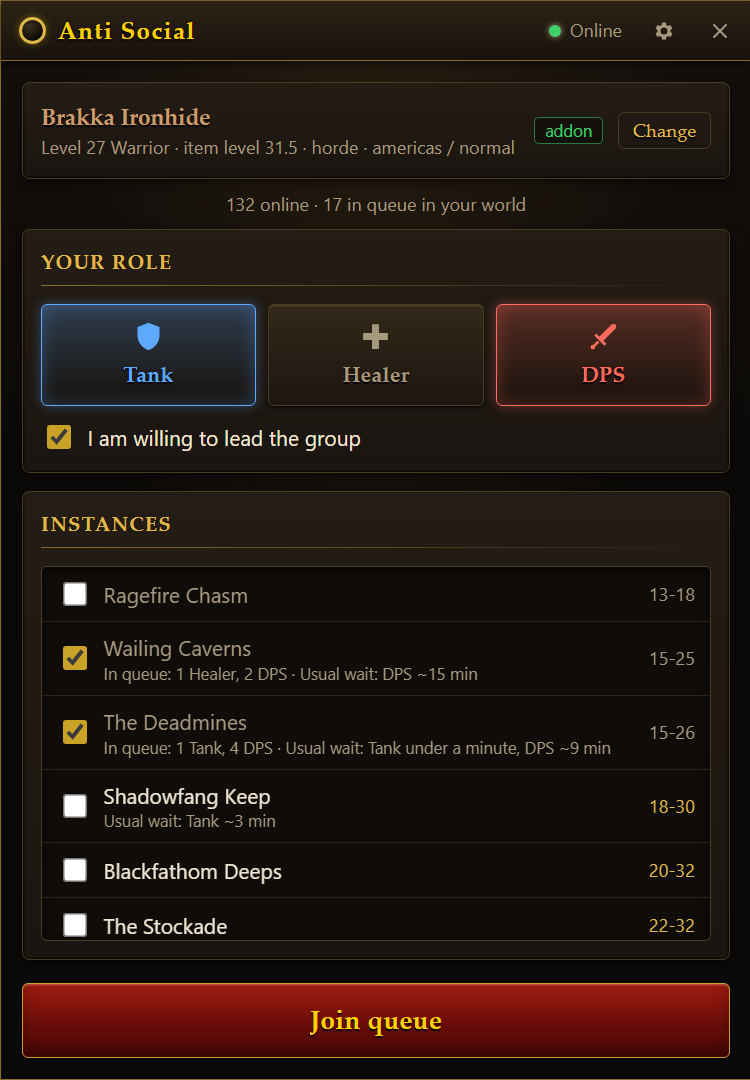
The companion app's queue screen: a character, role buttons for Tank, Healer and DPS, and a list of dungeons with how many players are waiting and the usual wait.

How it works

Two small pieces work together: a companion app that runs beside the game, and an addon inside it.

  1. 1

    Queue from the companion

    Choose your role and the dungeons you want. The list shows who is already waiting and how long each role usually waits. Tick "willing to lead" if you don't mind sending the invites.

    A small orb floats over the game so you can open the companion without leaving it. It glows while you are queued.

    Queue screen with Tank and DPS selected and two dungeons ticked.
  2. 2

    Answer the ready check

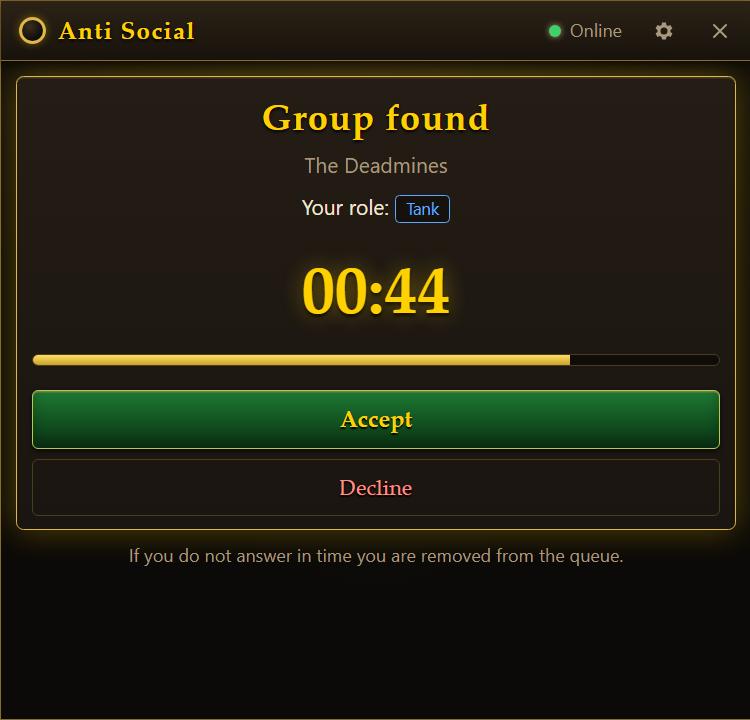
    When a full group matches, everyone gets 60 seconds to accept. The orb flashes and the companion comes to the front with a sound.

    Anyone who doesn't answer is dropped from the queue and replaced, so you are not left waiting on someone who walked away.

    Ready check: Group found, The Deadmines, your role Tank, a countdown, and Accept and Decline buttons.
  3. 3

    The leader pastes one code

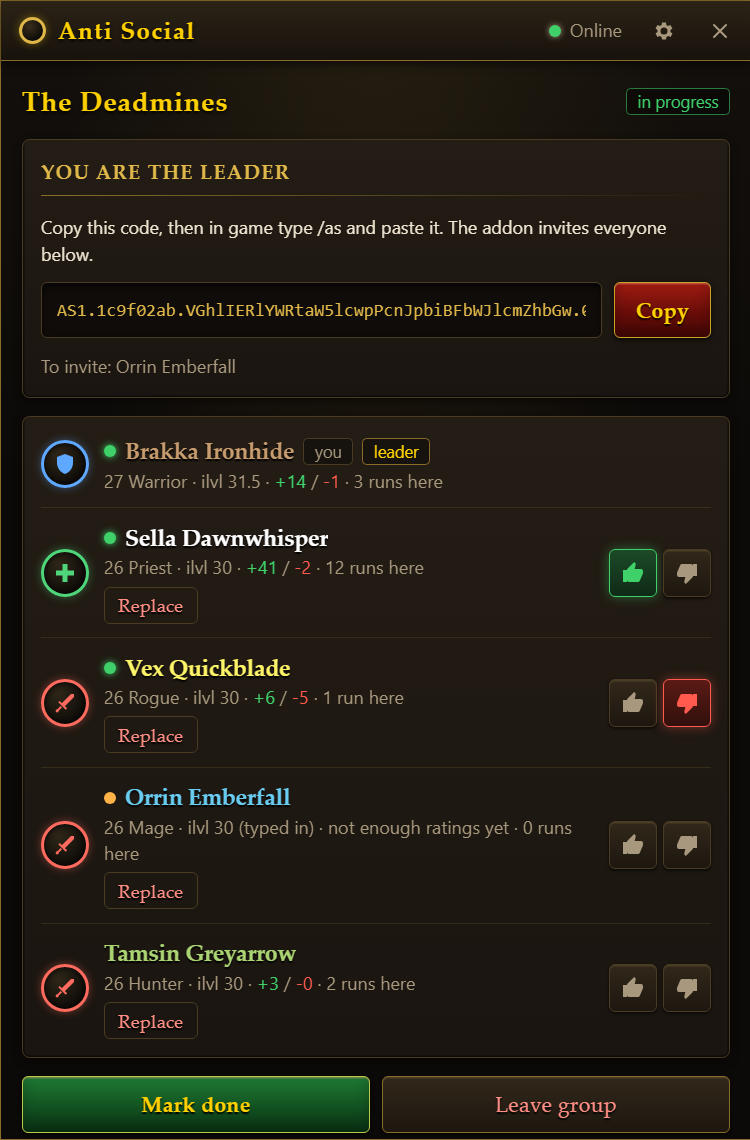
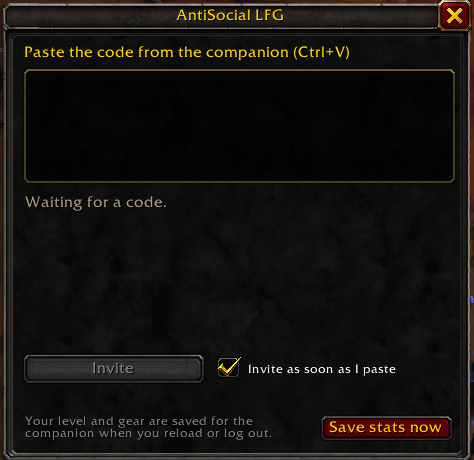
    One player is chosen as leader, a volunteer if there is one. They copy a short code from the companion and paste it into the addon in game. The addon sends the party invites and shows each player as they join.

    Everyone else just accepts a normal party invite.

    Party screen for the leader: a code with a Copy button, and each member with role, level, thumbs totals and runs. The addon's window in game, with a box to paste the code and an Invite button.
  4. 4

    Run it, then rate your group

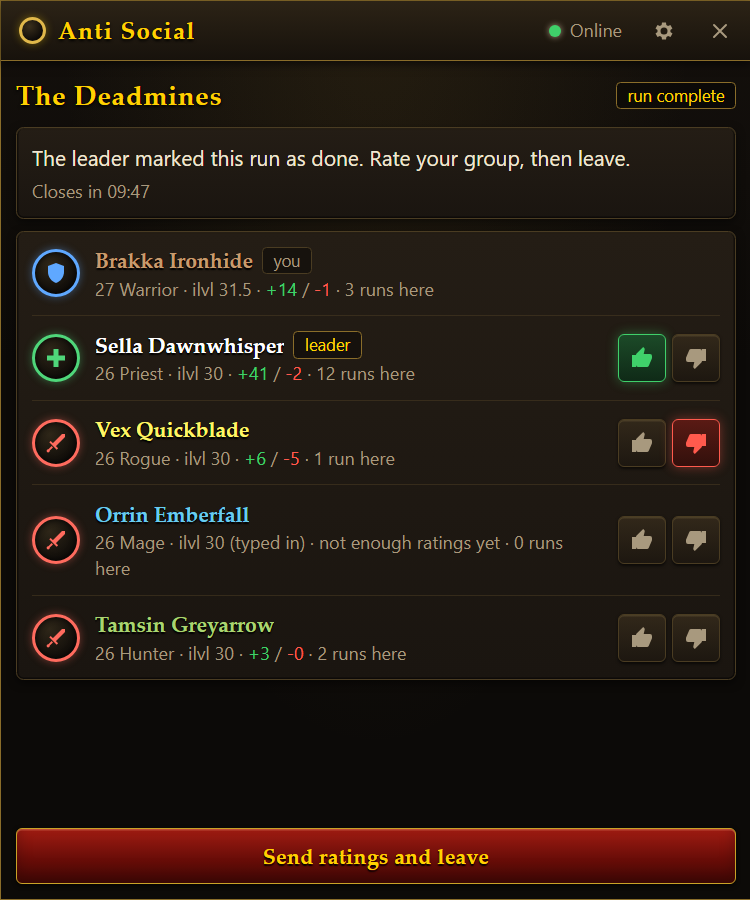
    Give each player a thumbs up or down during the run. Your choices are sent when you leave. Next time, groups see each member's totals and how often they have run that dungeon.

    Nobody sees who voted, and a player's score stays hidden until they have a few ratings.

    Run complete screen with thumbs up and thumbs down buttons beside each group member.

Download

Companion app

For Windows 10 and 11. One small file, nothing else to install.

Download the companion

Opens the latest release on GitHub.

Windows may warn that the publisher is unknown, because the app is not code-signed. Choose "More info", then "Run anyway".

In-game addon

The companion can install and update it for you: open Settings and press "Install or update the addon".

Download the addon zip

To install by hand, unzip it into Interface\AddOns inside your game folder, then tick "AntiSocial LFG" in the AddOns list.

Questions

Why do I need an app as well as an addon?

Addons cannot connect to the internet. The companion app holds the connection to the matchmaking server, and the addon does the one thing only an addon can: send the party invites.

Does it teleport me into the dungeon?

No. It forms the group. You travel there the usual way.

Does it read or change the game?

No. The addon uses the same functions every addon is allowed to use, and the invites are ordinary party invites. The companion only asks Windows where the game window is, so it can place its orb. It never reads the game's memory or sends it key presses.

Is this official?

No. It is a fan project. Blizzard could change what addons are allowed to do at any time, and parts of this could stop working if they do.

What does the server know about me?

Your character's name, faction, class, level, spec and item level, plus the region and ruleset you pick. There are no accounts and no passwords; each install gets a random identity. Your details are only shown to the four players you are grouped with.

Who can I be grouped with?

Players of your faction, in your region, on your ruleset, who queued for the same dungeon.